Your Salesforce data is only as valuable as the workflows it supports. Discover five ways to simplify barcode labeling, eliminate manual processes, and connect Salesforce with solutions like Label Anything and Barcode Duplicator to improve operational efficiency.
Your Salesforce data may be right where it belongs. So why are your employees still retyping information, creating labels manually, or finding workarounds to get a barcode onto a product, package, or asset?
The problem may not be Salesforce. It may be the gap between the information in Salesforce and the work that happens after that information needs to become a label, a barcode, or a physical action at the point of work.
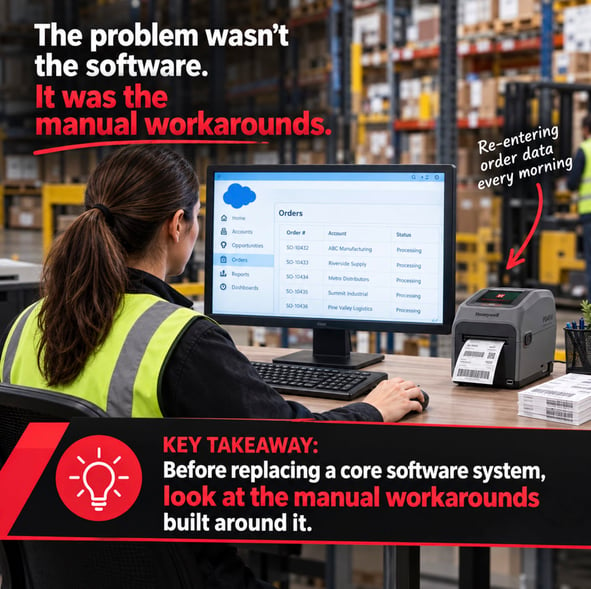
When Salesforce, labeling processes, barcode workflows, and the technology used at the point of work are not well connected, employees often create their own workarounds. They re-enter information, print labels manually, scan something twice, or move data between systems just to complete a routine task.
Over time, those extra steps become part of the process.
Here are five things Salesforce users should consider when evaluating their labeling and barcode workflows.
1. Salesforce May Not Be the Problem
It is easy to assume that a workflow problem requires a change to the system that manages the data. But if Salesforce is already serving your business well, replacing or adding another system may not address the actual issue.
The problem may be the connection between Salesforce, and the work employees need to perform.
For example, consider a simple labeling workflow:
Salesforce record → Employee retrieves information → Information is entered into another application → Label is created → Label is printed → Employee applies label
Every arrow represents a potential opportunity for unnecessary work.
That might include:
- Copying information from Salesforce into a separate labeling application
- Manually entering product or customer information
- Creating labels outside the normal workflow
- Looking up information that already exists in Salesforce
- Printing labels in batches instead of when the work occurs
- Using spreadsheets or other temporary tools to bridge gaps between systems
None of these steps necessarily means Salesforce is failing.
They may simply indicate that the workflow surrounding Salesforce could be better connected.
The question isn't always "Do we need a different system?" It may be "How can we make the systems and technology we already have work together more effectively?"
2. Look for the Signs of Unnecessary Work
The first step is recognizing where the weak link exists.
Employees who work with labels and barcodes every day are often the best source of information. They know which steps take longer than they should and where they have developed workarounds.
Look for signs such as:
- Employees entering the same information more than once
- Labels being created outside Salesforce
- Barcode information being manually copied or retyped
- Employees switching between multiple applications to complete one task
- Printed labels being generated in advance and matched to work later
- Spreadsheets being used to manage information that already exists in Salesforce
- Employees keeping handwritten notes or other informal records
- Scanners or printers requiring extra steps to complete routine work
A single extra step may not seem significant. But multiply that step by hundreds or thousands of transactions, products, assets, shipments, or records, and the impact can become much more noticeable.
A simple workflow check
|
What you see |
What it may indicate |
|---|---|
|
Data is re-entered manually |
Systems may not be connected effectively |
|
Labels are created in a separate process |
Labeling may be disconnected from the workflow |
|
Barcodes are copied or recreated manually |
There may be a simpler duplication process |
|
Employees switch between applications |
Information may not be available where work happens |
|
Workers rely on spreadsheets or workarounds |
The existing workflow may have a gap |
The goal isn't to eliminate every application or every manual step. Some manual processes make sense. The goal is to identify the ones that do not add value.
3. Connect the Systems and Technology You Already Use
Once unnecessary steps have been identified, the answer is not automatically another software platform. In many cases, a better approach is to look at how the systems and technology already in place can work together.
For Salesforce users, that can mean creating a more connected path between:
Salesforce → Labeling → Barcode Process → Printer/Scanner → Point of Work
Instead of employees moving information from one system to another, the workflow can be designed around the information they already have and the work they actually need to complete.
This is particularly important when labeling and barcode tasks happen outside the office or at a warehouse, production area, shipping station, service location, or other point of work. Your technology should support the process rather than invite employees to work around it.
4. Label Anything Can Connect Salesforce to the Labeling Process
For organizations using Salesforce, labeling is often part of a larger business process rather than a standalone activity. Label Anything is designed to support Salesforce-based labeling workflows by connecting information in Salesforce with the label creation process.
Instead of treating labeling as a separate task, the objective is to make it part of the workflow. Depending on the application, this can help use information already associated with Salesforce records to create the labels needed for products, assets, inventory, shipments, identification, or other business processes.
Don't start with the label. Start with the workflow.
What information already exists in Salesforce?
What needs to appear on the label?
Where does the label need to be created?
Who performs the work?
What happens immediately before and after printing?
These are the questions that help determine how labeling should fit into the process.
5. Barcode Duplicator Addresses a Different Problem
Not every barcode challenge requires integration with Salesforce. Sometimes the problem is much simpler: you simply need to duplicate an existing barcode. For example, an employee may have a barcode on an item, document, package, or piece of equipment and need to create another label with that same barcode. Traditionally, this can involve additional equipment, software, or manual steps.
Barcode Duplicator from Symbology Enterprises was designed specifically for this situation. It combines a Brady (formerly Honeywell) scanner and printer to scan an existing barcode and produce a duplicate without requiring a PC. When the job is straightforward, it becomes very useful:
Scan the existing barcode → Print the duplicate
There is no need to recreate the barcode data manually when all you need is another copy.
Not every barcode problem needs a new application. Sometimes the right solution is simply a better way to handle one specific step.
Don't Overlook the Hardware at the Point of Work
Even a well-designed workflow could become frustrating if the hardware used to perform the work is unreliable or difficult to use. Printers and handheld scanners are often the physical connection between the digital workflow and the employee doing the work.
For demanding environments, Brady printers and handheld scanners provide durable, functional technology designed for barcode printing and scanning at the point of work. The important consideration is not simply which device to buy, but rather how the device fits into the workflow.
A printer that requires unnecessary setup can slow down a process. A scanner that is difficult to use can complicate routine tasks. Hardware that fits the environment and the workflow can help employees complete the job without creating additional steps.
Five Questions to Ask About Your Current Workflow
You don't need to start with a technology shopping list. Start with the workflow.
- Is your current labeling process creating unnecessary work?
- Are your barcode processes leaving gaps between Salesforce data and what happens on the floor?
- Are employees relying on manual steps or workarounds?
- Are your printing and scanning technologies creating bottlenecks or inefficiencies in your workflow?
- Does your current workflow deserve a closer look?
If you answered "yes" to any of these questions, there may be an opportunity to simplify the way information moves from Salesforce to the point of work.
Take a Closer Look at Your Salesforce Labeling and Barcode Workflow
By looking at the entire workflow, from the Salesforce record to the label, barcode, printer, scanner, and employee performing the work, you can identify where unnecessary steps are being introduced and where existing technology could be used more effectively.